Subscribe and publish messages with NATS
This guide explains how to use the nats-box CLI tool to test NATS message subscription and publication within the Olares cluster, and provides an overview of the NATS Subject naming rules and permission model.
Get connection information
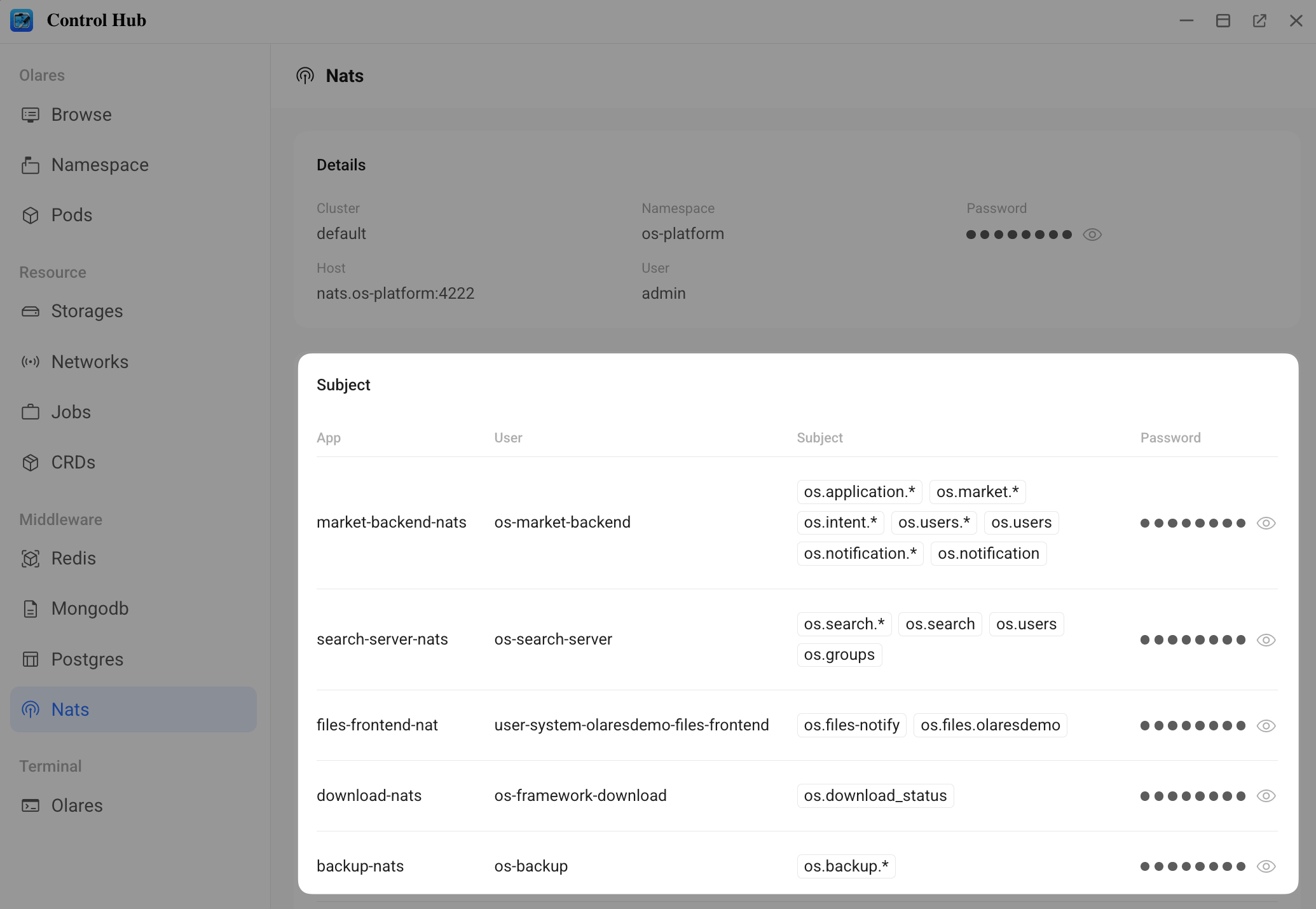
Before connecting, obtain NATS connection details from the Control Hub.
Open Control Hub from Launchpad.
In the left navigation pane, go to Middleware and select Nats.
On the Subject panel, select a target Subject and record the corresponding information from the same row:
- Subject: The target message subject.
- User: The connection username.
- Password: The connection password.
Access via CLI
nats-box provides a convenient way to test NATS subscriptions and publications from within the cluster.
Deploy nats-box
- Download the example
nats-box.yamlfile, then upload it to the Olares machine. - Navigate to the directory containing the YAML file and deploy
nats-box:bashkubectl apply -f nats-box.yaml - Retrieve the name of the
nats-boxPod:bashkubectl get pods -n os-platform | grep nats-box - Enter the
nats-boxcontainer:bashkubectl exec -it -n os-platform <nats-box-pod> -- sh
Subscribe to messages
Use the Subject, User, and Password obtained from Control Hub to subscribe:
nats sub <subject-from-controlhub> --user=<user-from-controlhub> --password=<password-from-controlhub> --allPublish messages
Publish a message to the specified Subject:
nats pub <subject-from-controlhub> '{"hello":"world"}' --user=<user-from-controlhub> --password=<password-from-controlhub>Subject naming and permission reference
This section describes the Subject naming convention and permission model used in Olares.
Subject structure
NATS Subjects use a three-level structure separated by dots (.): <prefix>.<event>.<olaresId>.
| Level | Name | Description |
|---|---|---|
| 1st | <prefix> | Source Identifier.
|
| 2nd | <event> | Event type or Domain. Examples: users, groups, files, notification. |
| 3rd | <olaresId> | Represents the Olares ID of the user space. |
Permission model
Read and write permissions for Subjects vary depending on the application type.
| App type | Permission scope | Description |
|---|---|---|
| User space app | Read-only | Can only subscribe to Subjects with a three-level structure containing its own <olaresId>. |
| System/Cluster app | System-level access |
|