View Redis data
Redis is available by default in Olares. This guide walks you through accessing it from Olares.
Get connection information
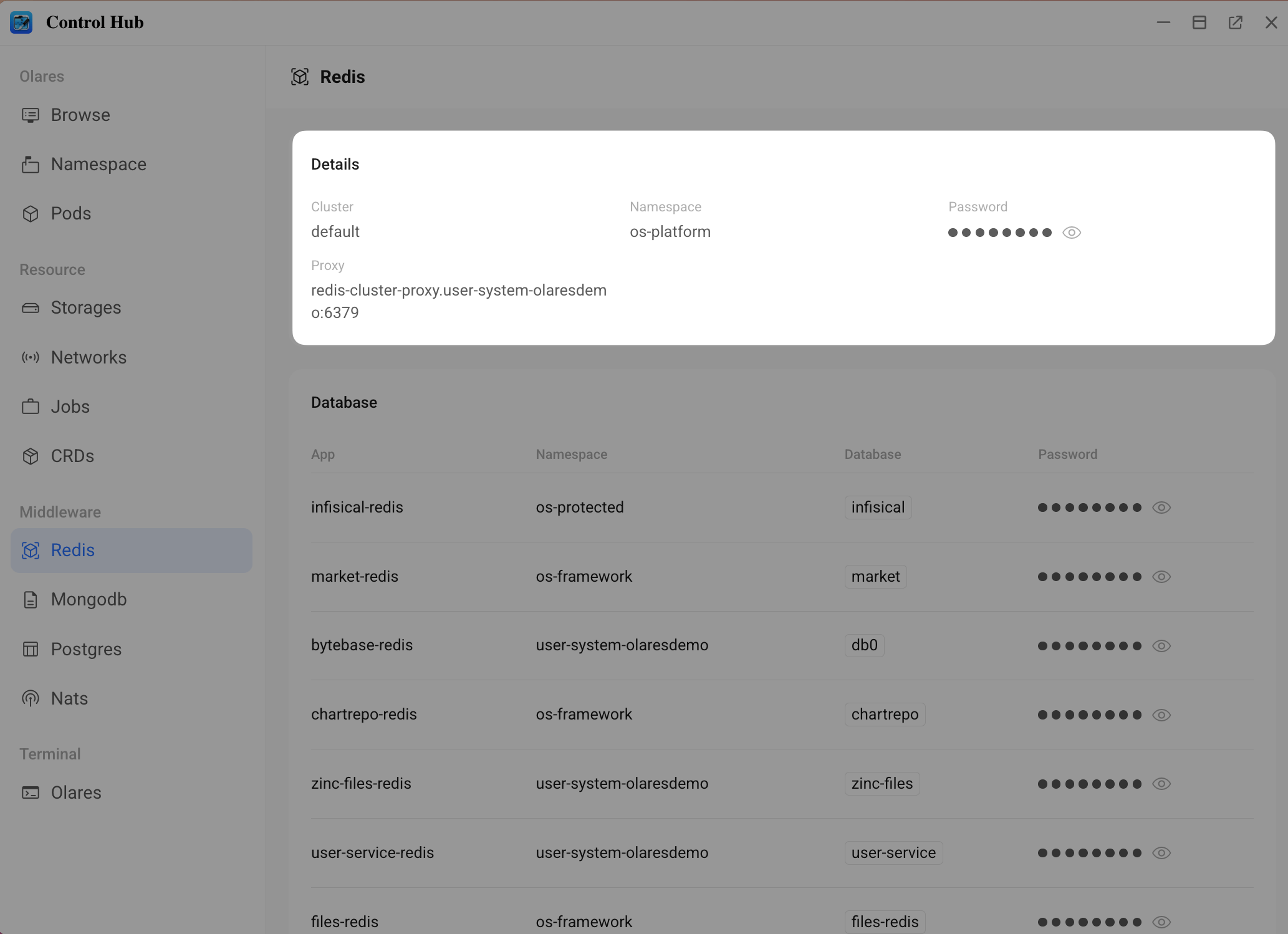
Before connecting, obtain Redis connection details from the Control Hub.
Open Control Hub from Launchpad.
In the left navigation pane, go to Middleware and select Redis.
On the Details panel, record the following information:
- Host: Used for Bytebase connection.
- Password: Used for both CLI and Bytebase.
Access via CLI
You can use the Olares terminal to access the database container.
In Control Hub, open the Olares terminal at the bottom of the left navigation pane.
Enter the Redis container. The container name is fixed.
bashkubectl exec -it -n os-platform kvrocks-0 -- shConnect to the Redis database:
bashredis-cli -p 6666 -a <your password from control-hub>
Manage via Bytebase
Bytebase provides a graphical interface for database management and schema changes.
Prerequisites
MongoDB app required
Bytebase uses MongoDB to store its metadata. Install MongoDB before installing Bytebase.
- Open Market and search for "MongoDB".
- Click Get, then Install, and wait until the service is running.
- After MongoDB is installed, search for "Bytebase" in Market.
- Click Get, then Install.
First-time setup
When launching Bytebase for the first time, you must configure an administrator account.
TIP
Remember these credentials. Only the admin account can create new database instances.
- Open Bytebase from Launchpad.
- Follow the on-screen prompts to set up your admin account with email and password.
Create a Redis instance
- Log in to Bytebase with your admin account.
- In the left navigation pane, select Instances, then click + Add Instance.
- Choose Redis as the database type.
- Fill in the connection fields using values from Control Hub:
- Host or Socket: Enter the Host address and do not include the port.
- Port: Keep the default, usually
6379. - Username: Leave it empty.
- Password: Enter the Password value from Control Hub.
- Click Test Connection to verify connectivity, then click Create.
Creating an instance in Bytebase does not create a new database. Once the instance is created, you can use the corresponding client tools to inspect and manage data.