Manage application environment variables
Application environment variables define how an application runs in its container, including its configuration, connected services, and other runtime settings.
View environment variables
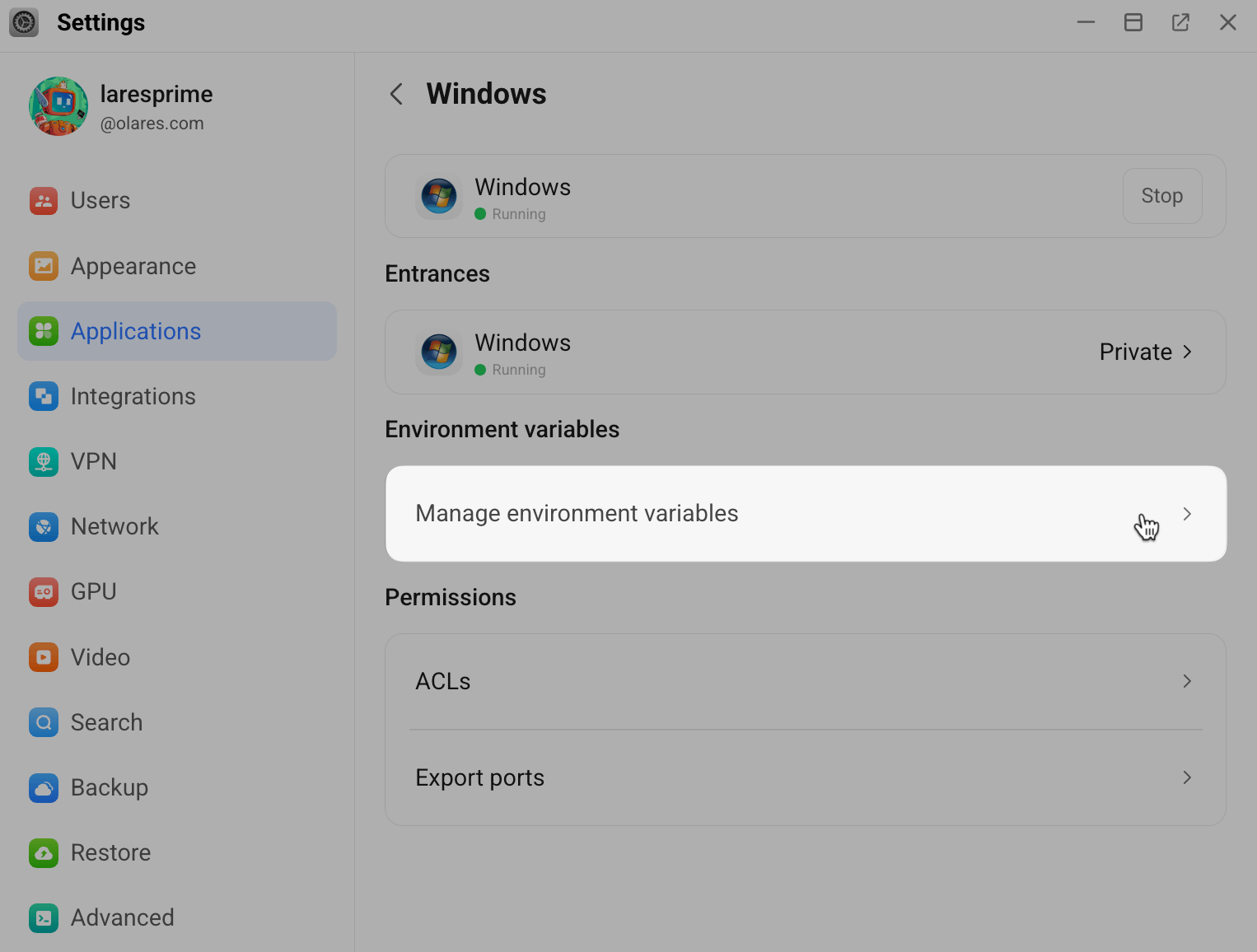
- Go to Settings > Applications.
- Select the target application from the list.
- Under Environment variables, click Manage environment variables.
Understand variable types
The Manage environment variables page shows the environment variables currently used by the application.
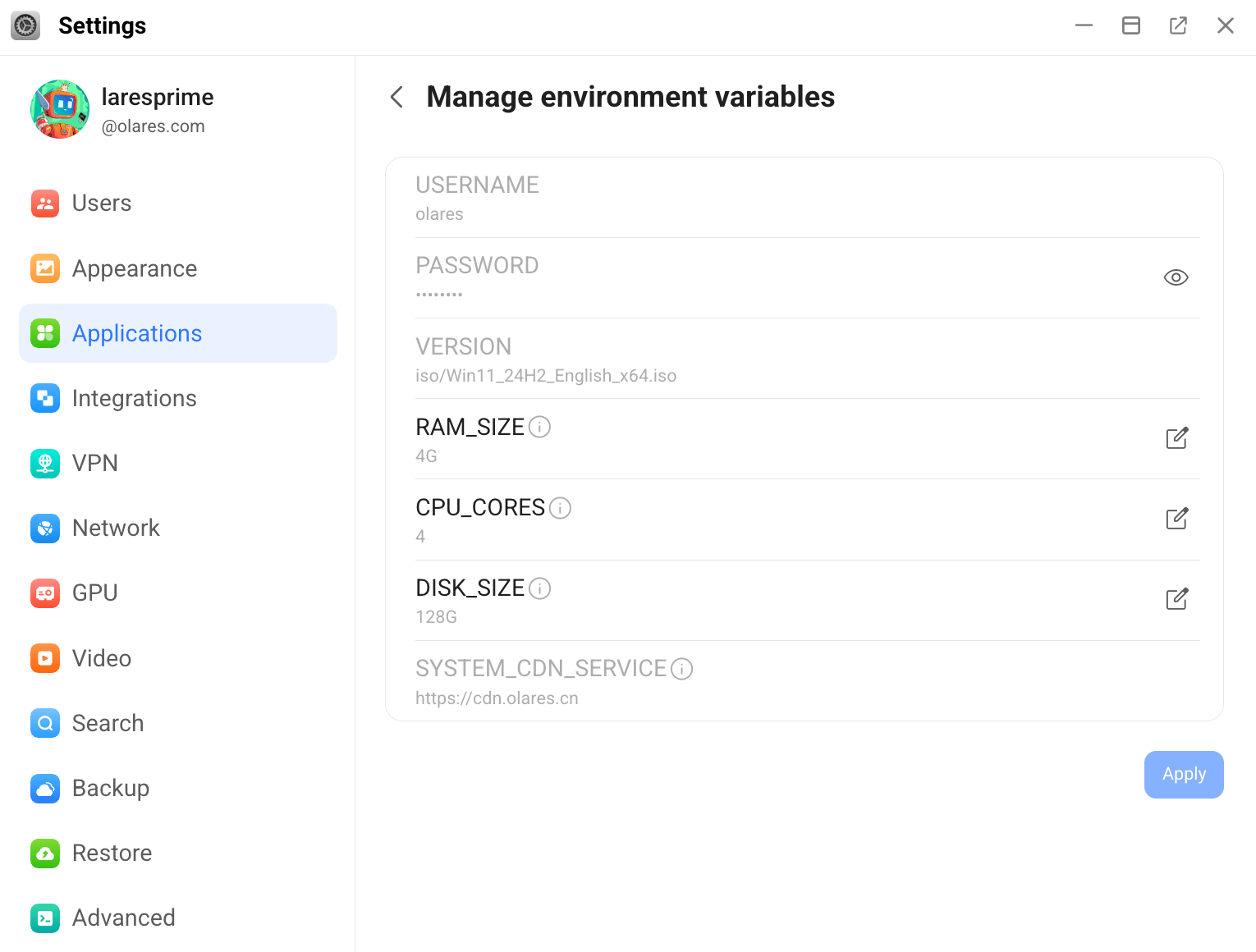
You may see two types of variables depending on the application's configuration:
- Application-specific variables: Variables defined for the application itself. They display normally and can be edited directly on this page.
- Referenced system environment variables: System environment variables referenced by the application. These variables appear on this page only if the application uses them. They appear dimmed and cannot be edited directly. To modify them, see Set system environment variables
Edit an application-specific variable
To modify an application-specific variable:
- Find the variable you want to edit.
- Click edit_square on the right.
- In the dialog, update the value and click Confirm.
- Click Apply.
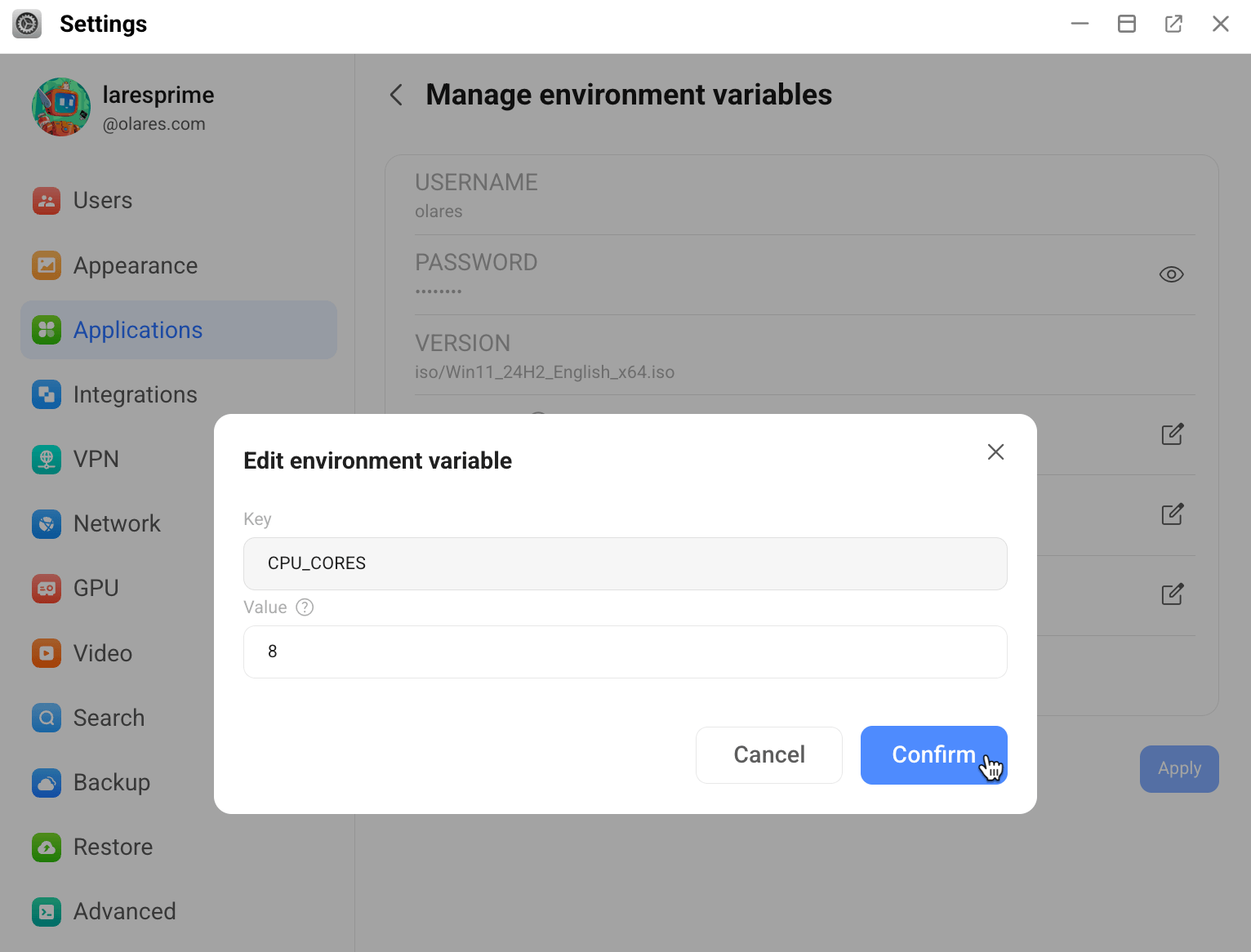
The application restarts automatically to apply the new configuration.