Manage Olares with Olares CLI
The Olares CLI skills let your NemoClaw agent manage files and apps on your Olares device through natural language. For other skills, see Manage skills and plugins.
Prerequisites
- NemoClaw installed and running on Olares.
- Your Olares ID and login password.
Step 1: Log in to Olares CLI
Olares CLI requires your account password. Sign in from the NemoClaw CLI before the agent can use the Olares CLI skills.
Open the NemoClaw CLI app from Launchpad.
Connect to the runtime sandbox:
bashnemoclaw my-assistant connectWait until the terminal shows the sandbox prompt, such as
sandbox@my-assistant:~$.Log in to your Olares account. Replace
<your-olares-id>with your Olares ID:basholares-cli profile login --olares-id <your-olares-id>For example:
basholares-cli profile login --olares-id [email protected]Follow the prompts to enter your Olares login password.
Verify you have been logged in with the profile.
basholares-cli profile listExample output:
textNAME OLARES-ID STATUS * [email protected] [email protected] logged-in (23h59m)
Step 2: Install Olares skills from ClawHub
Open the OpenClaw Web UI and go to Skills.
In the ClawHub search box, enter
olaresto find Olares skills.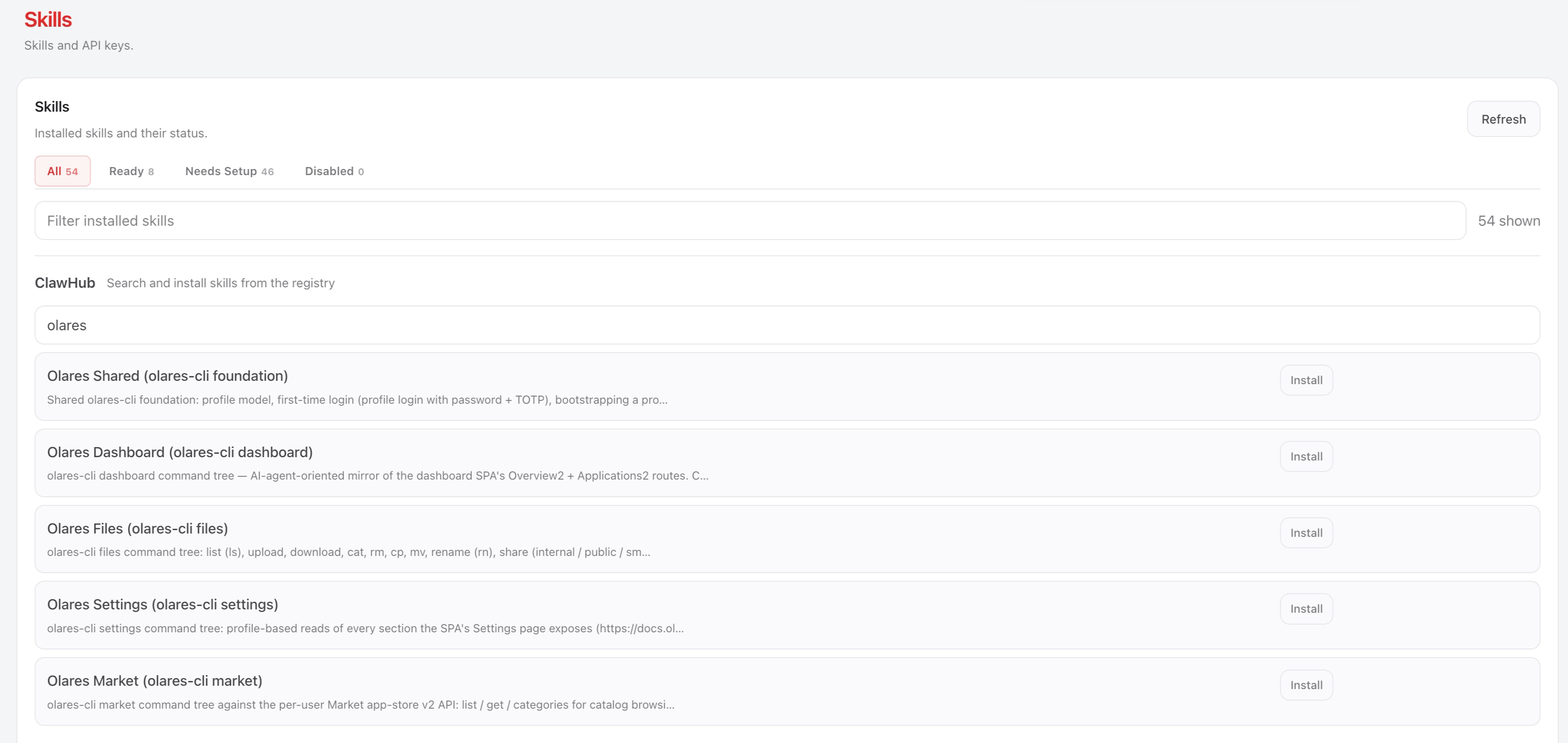
Install the Olares Shared skill first because it's the foundation of the other Olares skills.
Install the remaining Olares skills, such as Olares Files and Olares Market.
Open the chat page in the OpenClaw Web UI and run
/resetto start a new session so the agent picks up the newly installed skills. If you've configured channels such as Discord, also run/resetin each channel conversation.
Retry on 429 errors
If you see a 429 error when downloading a skill, wait a moment and try again.
Step 3: Chat with the agent in natural language
Open the OpenClaw Web UI or the OpenClaw TUI and ask the agent in natural language. For example:
To list all files and folders under
/drive/Home/:textList drive/Home/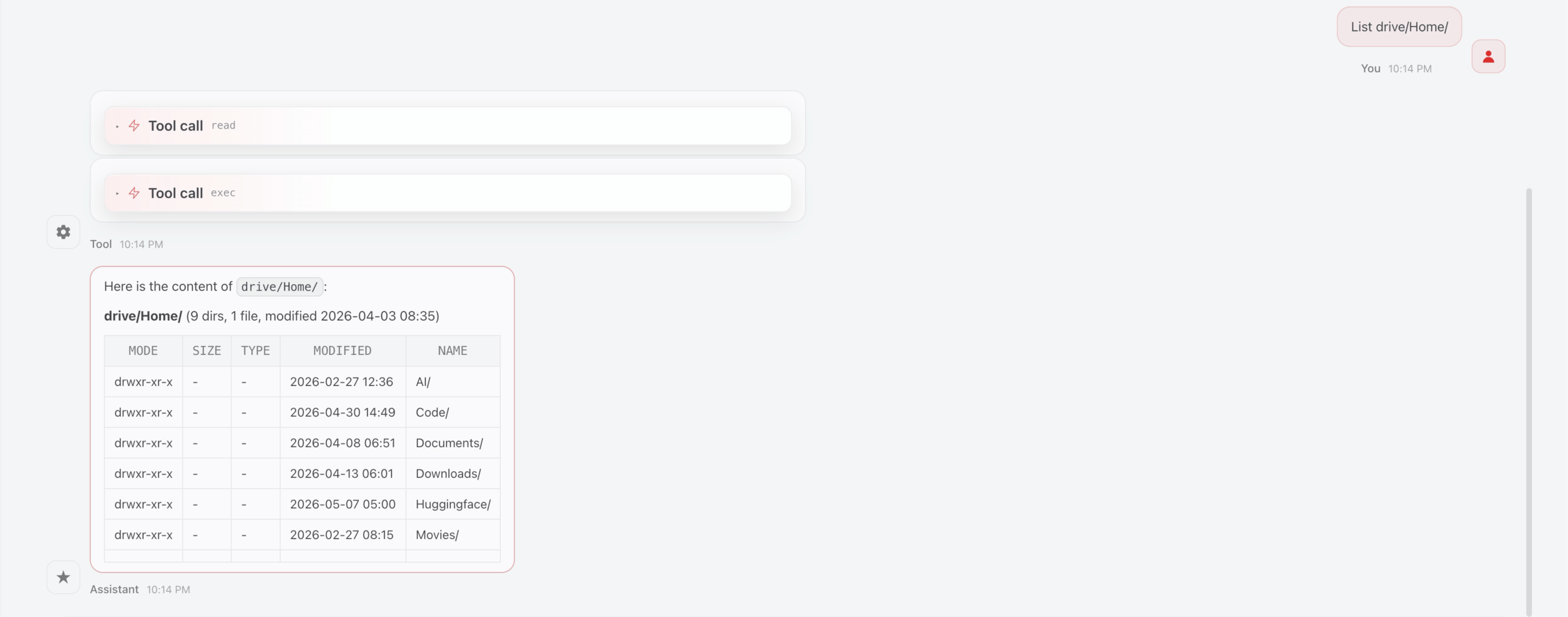
To read a file:
textRead the last 10 lines of the nemoclaw.log file in the Home directory.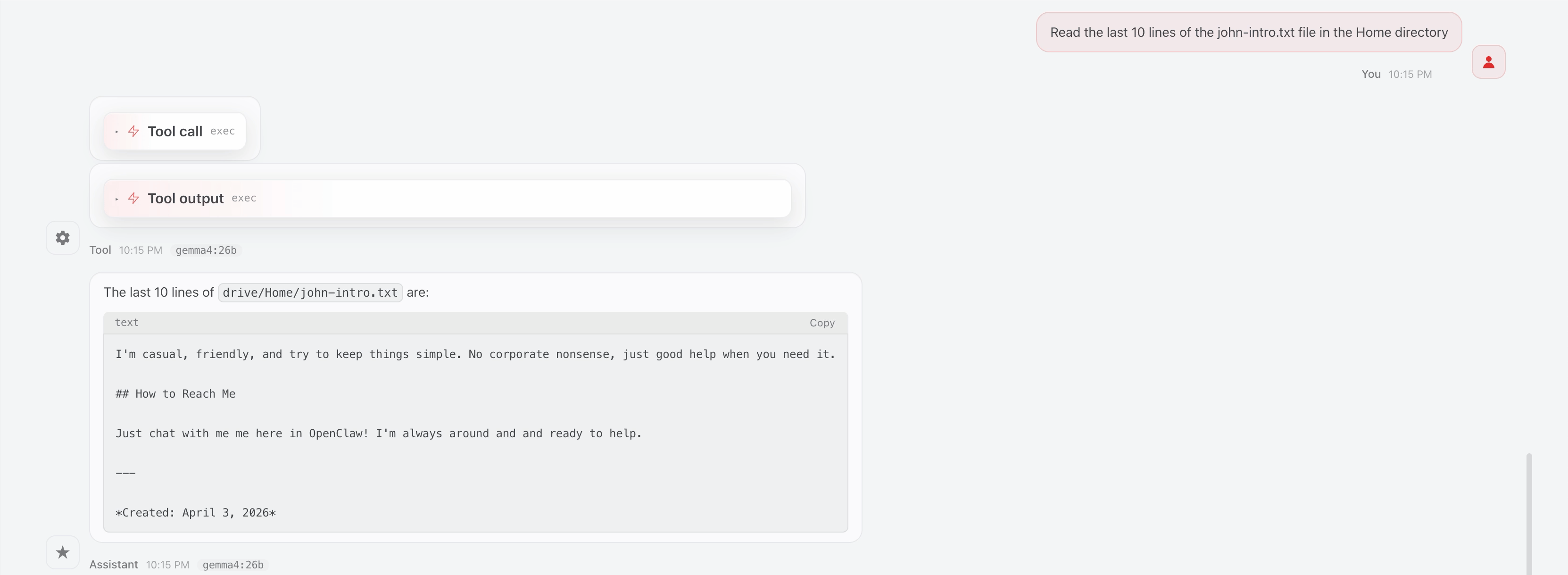
To install an app from Olares Market:
textInstall FirefoxTo uninstall an app from Olares Market:
textUninstall Firefox
Learn more
- Run NemoClaw with a local LLM: Set up NemoClaw with a local model.
- Manage skills and plugins: Install and manage other OpenClaw skills.