App status differs after starting or stopping an app in Control Hub
Use this guide when an app's status in Control Hub does not match the status shown in Desktop, Settings, or Market after you start or stop the app from Control Hub.
Condition
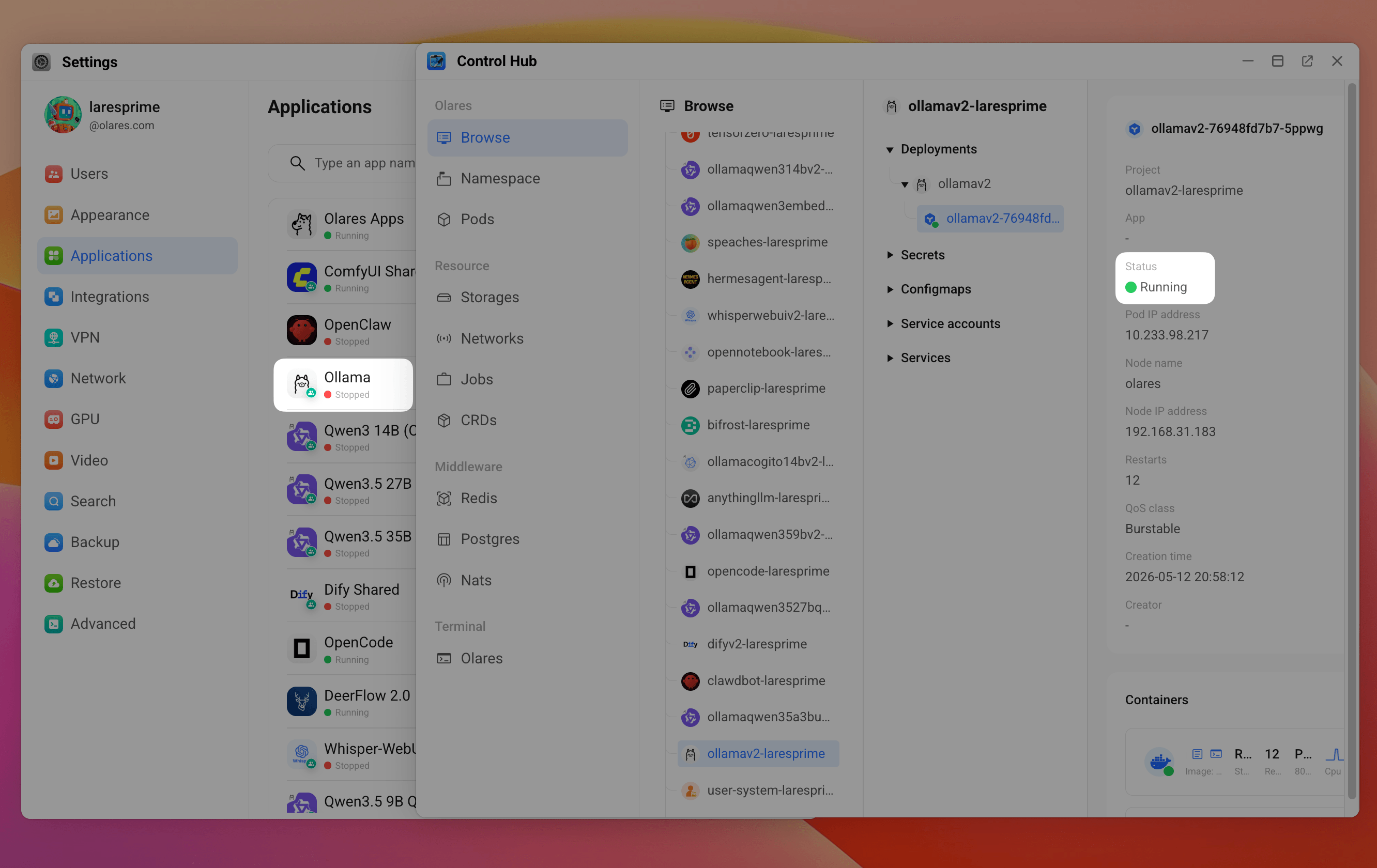
After you stop an app in Control Hub:
- In Settings > Applications, the app still appears as Running.
- In Market, the app still shows the Open button.
- In Launchpad, the app still appears available to open, without the orange paused indicator.
- When you open the app from Launchpad or Market, the app fails to load.
After you start an app in Control Hub:
- In Settings > Applications, the app still appears as Stopped.
- In Market, the app still appears as Stopped.
- In Launchpad, the app still appears paused, with an orange indicator near the app name.
- When you open the app from Launchpad, Olares asks you to resume the app first.
Cause
Desktop, Settings, and Market manage app status through app-service, the Olares system component responsible for managing application lifecycle. Control Hub operates directly on the underlying Kubernetes resources.
When you start or stop an app from Control Hub, the app workload is changed directly at the Kubernetes level. However, this operation does not update the app status maintained by app-service. This can cause the status shown in other apps to differ from the status in Control Hub.
Solution
To sync the app status, perform the same operation again in Settings or Market.
The following steps use the case where you have stopped the app in Control Hub, but the app still appears as running in Desktop, Settings, or Market.
Wait a few moments. The app status shown in other apps should now match in Control Hub.
If you have started the app in Control Hub, but the app still appears as stopped in Desktop, Settings, or Market, follow the same steps and select Resume instead.