Missing apps in Market
Use this guide when an app listed on the official Market website is missing from the Market on your device and the issue persists after your device has been running for more than 2 hours.
Condition
- Some apps listed on the official Olares Market website are missing from the Market on your device.
- Your device has been running for more than 2 hours and the apps are still missing.
Cause
The system might not have finished downloading the full app list during your initial setup. Restarting the chart repository and Market deployments can refresh the app catalog.
Solution
Restart the chart repository and Market services from Control Hub, then wait for them to come back up and refresh the Market app.
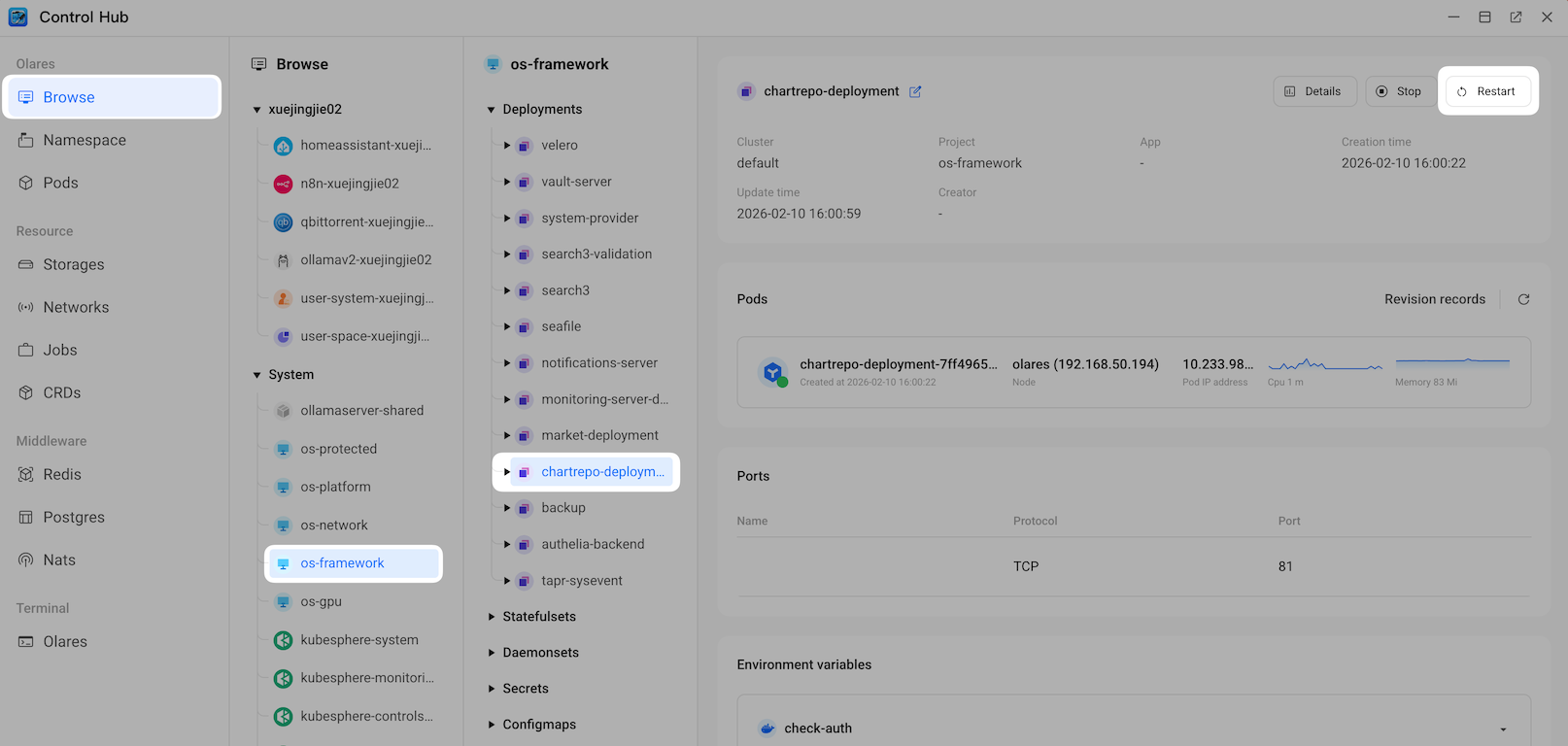
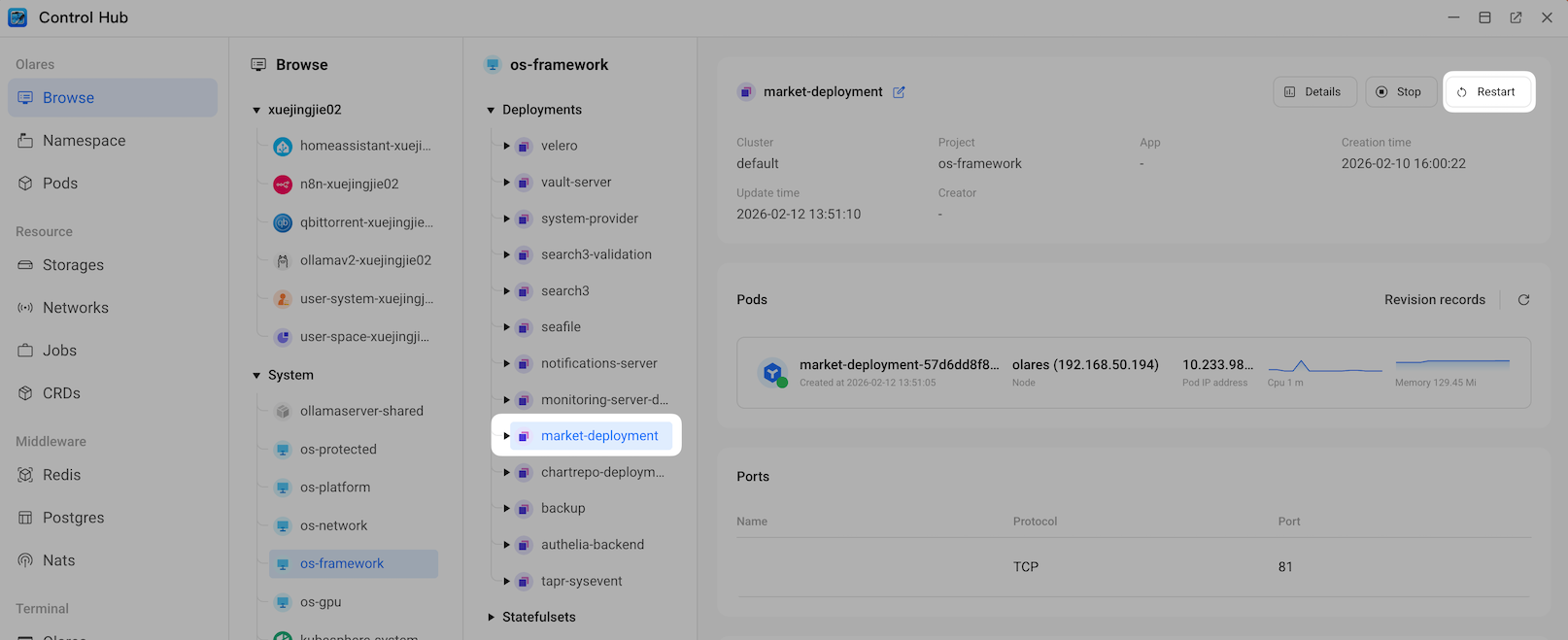
Open Control Hub and go to Browse > System > os-framework.
In the Deployments list, find chartrepo-deployment, and then click Restart. Wait until its status turns to Running.
In the same list, find market-deployment, and then click Restart. Wait until its status turns to Running.
Wait 2 to 3 minutes for the services to initialize.
Refresh the Market app.