Manage Olares with your OpenClaw agent
Install the Olares CLI skills in OpenClaw so your agent can manage files and applications on your Olares device. For example, ask it to list files, read logs, or install apps from Olares Market.
Learning objectives
In this guide, you will learn how to:
- Authenticate with the Olares CLI in the OpenClaw CLI.
- Install Olares skills from ClawHub.
- Chat with your agent in natural language to perform actions on your Olares device, such as installing apps from Market.
Prerequisites
- OpenClaw installed and running on Olares.
- Your Olares ID and login password.
Step 1: Authenticate with the Olares CLI
To authorize your agent to perform system actions, you must first log in to the Olares CLI using your account credentials.
Open the OpenClaw CLI from the Launchpad.
Log in to your Olares account. Replace
<your-olares-id>with your Olares ID:basholares-cli profile login --olares-id <your-olares-id>For example:
basholares-cli profile login --olares-id [email protected]Follow the prompt to enter your Olares login password. For security, the password you enter is hidden.
Verify your login status.
basholares-cli profile listExample output:
textNAME OLARES-ID STATUS * [email protected] [email protected] logged-in
Step 2: Install Olares skills
Give your agent the ability to manage your device by installing Olares skills from ClawHub.
Open the Control UI, and then select Skills from the left sidebar.
Under ClawHub, in the search box, enter
olaresto find the Olares skills.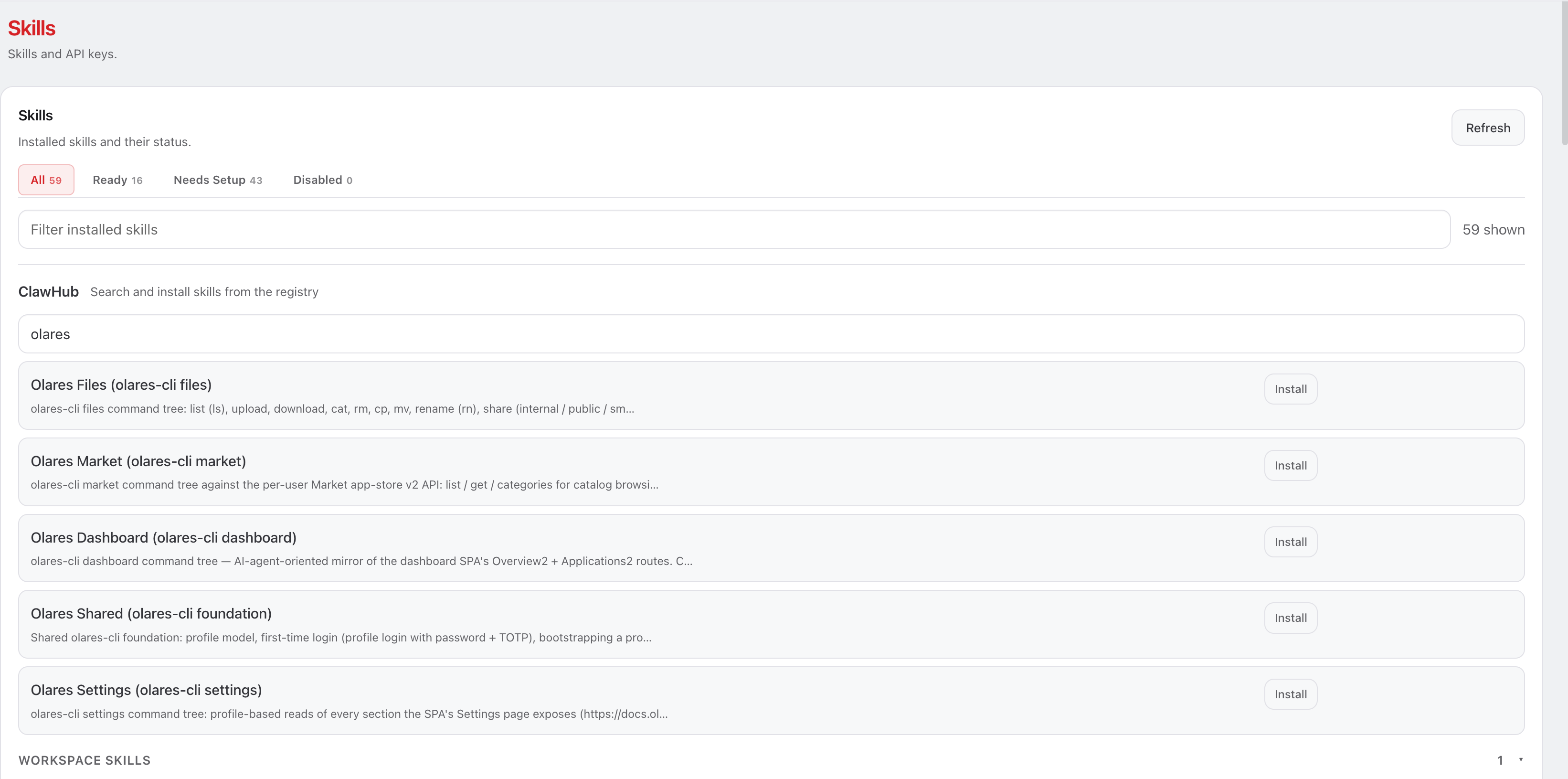
Install the Olares Shared skill first because it's the foundation for the other Olares skills.
Install the remaining Olares skills, such as Olares Files and Olares Market.
Go to the chat page, and then run
/resetto start a new session so the agent picks up the newly installed skills. If you've configured channels such as Discord, also run/resetin each channel conversation.
Retry on 429 errors
If you see a 429 error when downloading a skill, wait a moment and try again.
Step 3: Direct your agent to execute tasks
Open the Control UI and send your request to the agent in natural language.
For example, ask it to install an app from Olares Market:
Install Firefox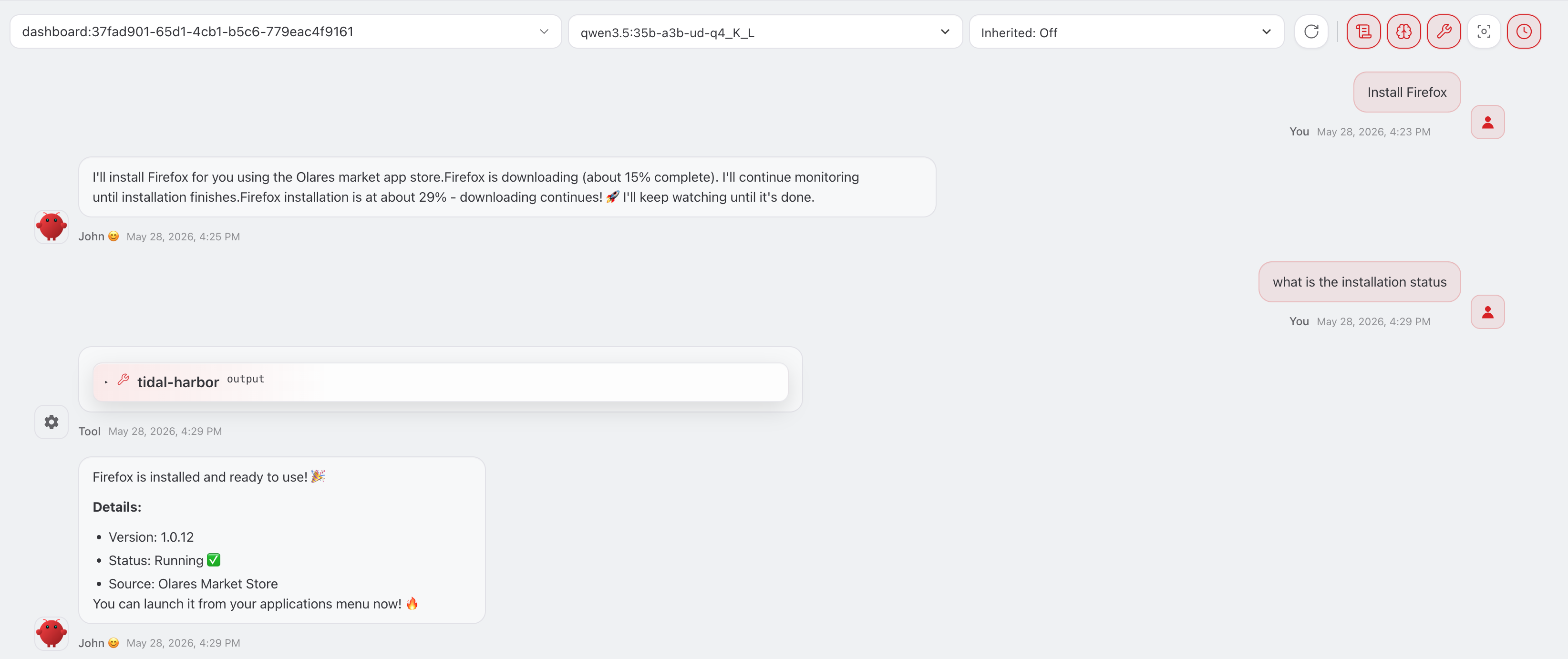
Learn more
- Manage skills and plugins: Install and manage other OpenClaw skills.